
FULL Mode Lifecycle
1. Starting a Session
Starting a session has two pieces:
- Generating a session token.
- Starting the session with the session token.
To start in FULL mode, ensure that the session token is set to FULL mode. An example flow of how FULL mode is started will look something as follows:
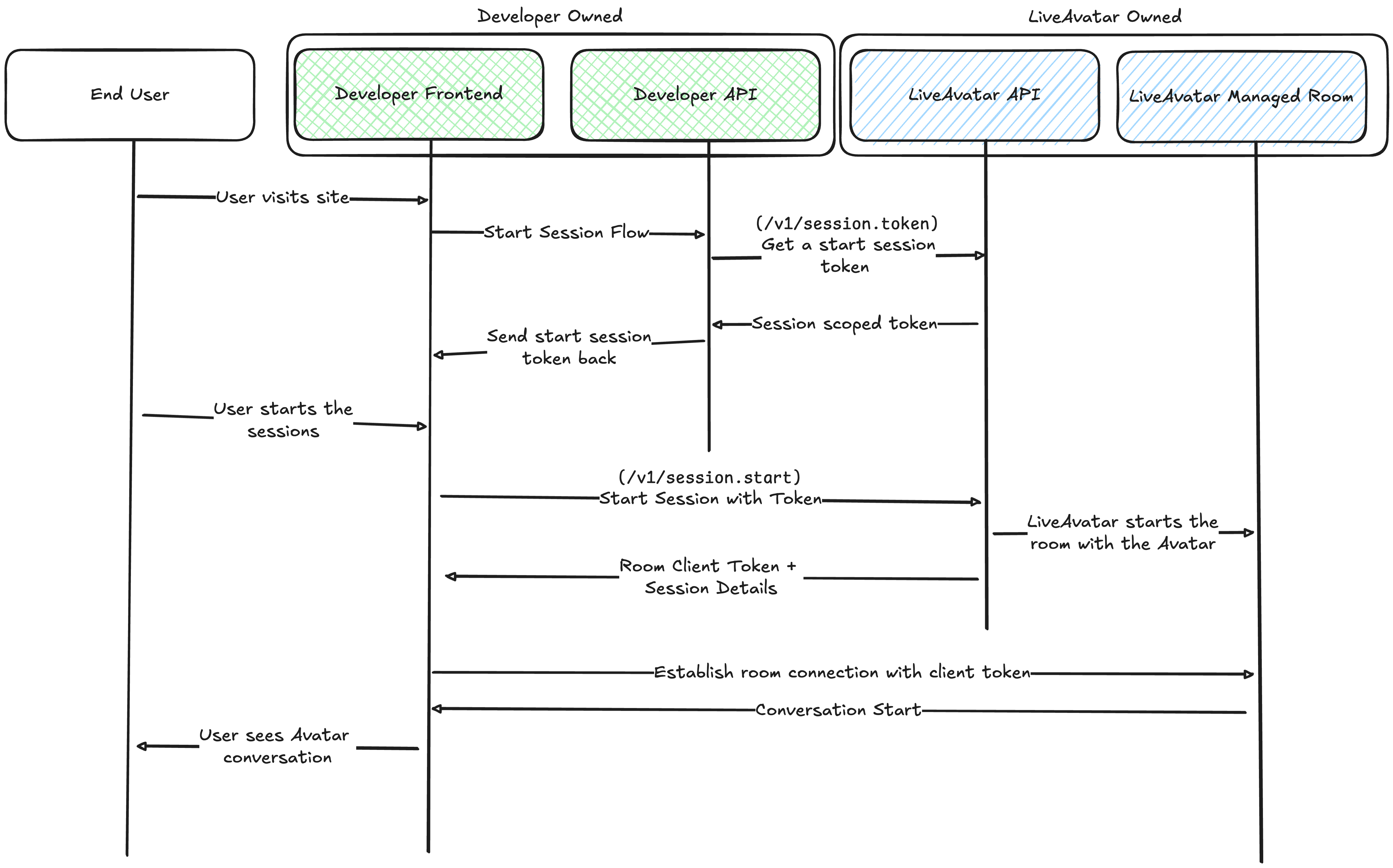
- When users first visit your site, create a session token that can be used to manage the session lifecycle and pass it back to your frontend application. The returned session token can then be used by your frontend application to directly manage the session, including starting/stopping the session.
- We recommend then building the rest of your application out solely on your frontend.
- Start the session. Depending on your use case, you may want to immediately start the session after the token is retrieved, in which your backend application can directly call
session.start. Or start the session after a user clicks a "start session" button, in which your frontend can make that call.- In our example, we assumed that your frontend application enabled the start call.
- Connect to the the LiveAvatar managed room
- After starting the session, we will provide the necessary information to establish a WebRTC connection between the end user's device and our LiveAvatar room.
- Simply connect the user's device to the Room and the session will be live.
2. Managing the Session
After connecting to the room, managing the session will be done purely via an event driven architecture. Sending command events will enable you to control certain actions. On LiveAvatar side, we also emit server events to enable you to track the whole state of the conversation.
Using client-side and server side events, you will have control over:
- when the user/avatar is speaking.
- transcript data on what the user/avatar is saying
- control over avatar behaviors such as:
- interrupting
- changing between idle and listening state
- direct control on what you want the avatar to say / respond to, in addition to processing user audio input.
See FULL mode's event list to see the up to date supported events.
Event data is transmitted via LiveKit room data channels.
Recommended Architecture
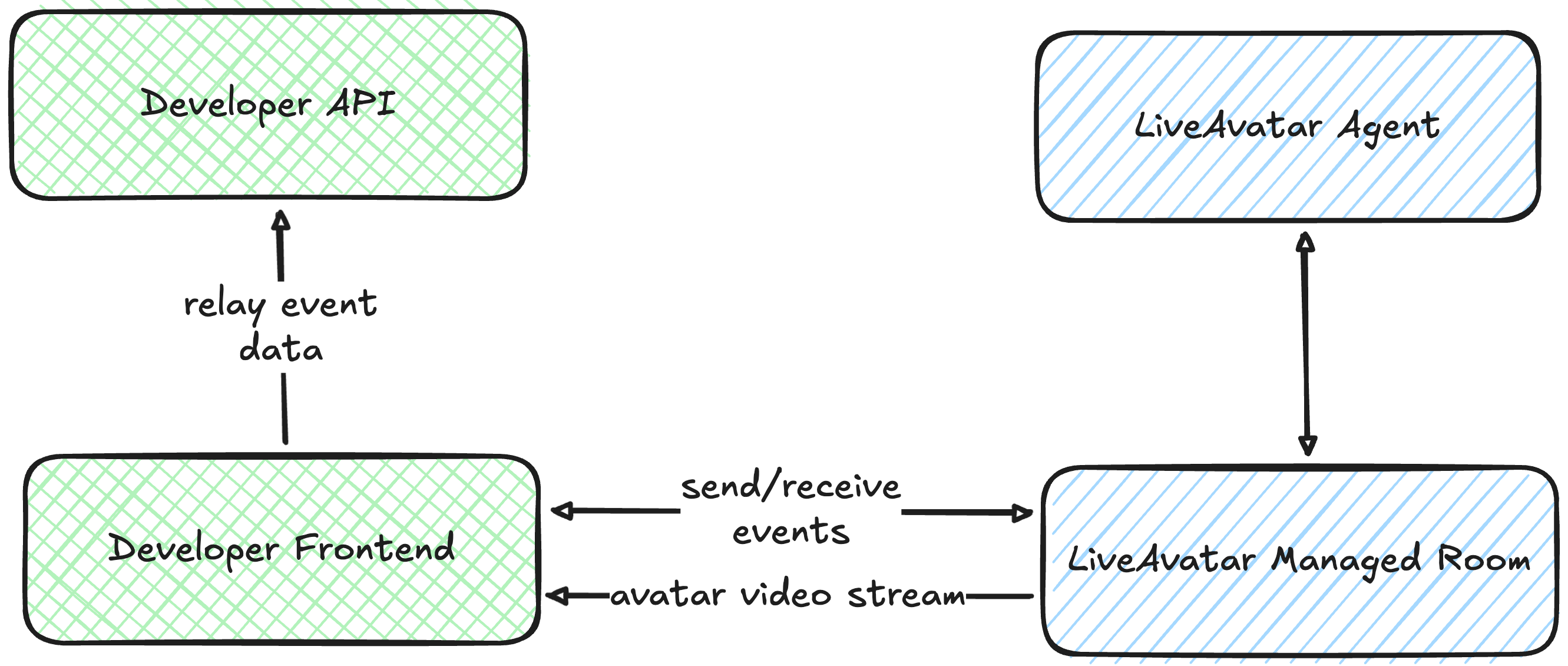
In FULL mode, we recommend making your frontend the primary controller for emitting events from the LiveAvatar room. This approach minimizes latency between user interactions and LiveAvatar responses.
Any additional event data can be forwarded from the frontend to your backend for downstream processing, logging, and analytics.
3. Ending the Session
When the session is closed, we will do the following.
- Close the LiveKit room
- Our Avatar will leave the room
- We also remove the user from the room if still present.
While there are no resources that we expect the developers to manage, we also recommend cleaning up any resources that is used externally.
Updated about 2 months ago