
LITE Mode Life Cycle
1. Starting a Session
Starting a session has two pieces:
- Generating a session token.
- Starting the session with the session token.
To start in CUSTOM mode, ensure that the session token is set to CUSTOM mode. See here for more details on configuring LiveAvatar - https://docs.liveavatar.com/docs/configuring-custom-mode
An example flow looks something as follows:
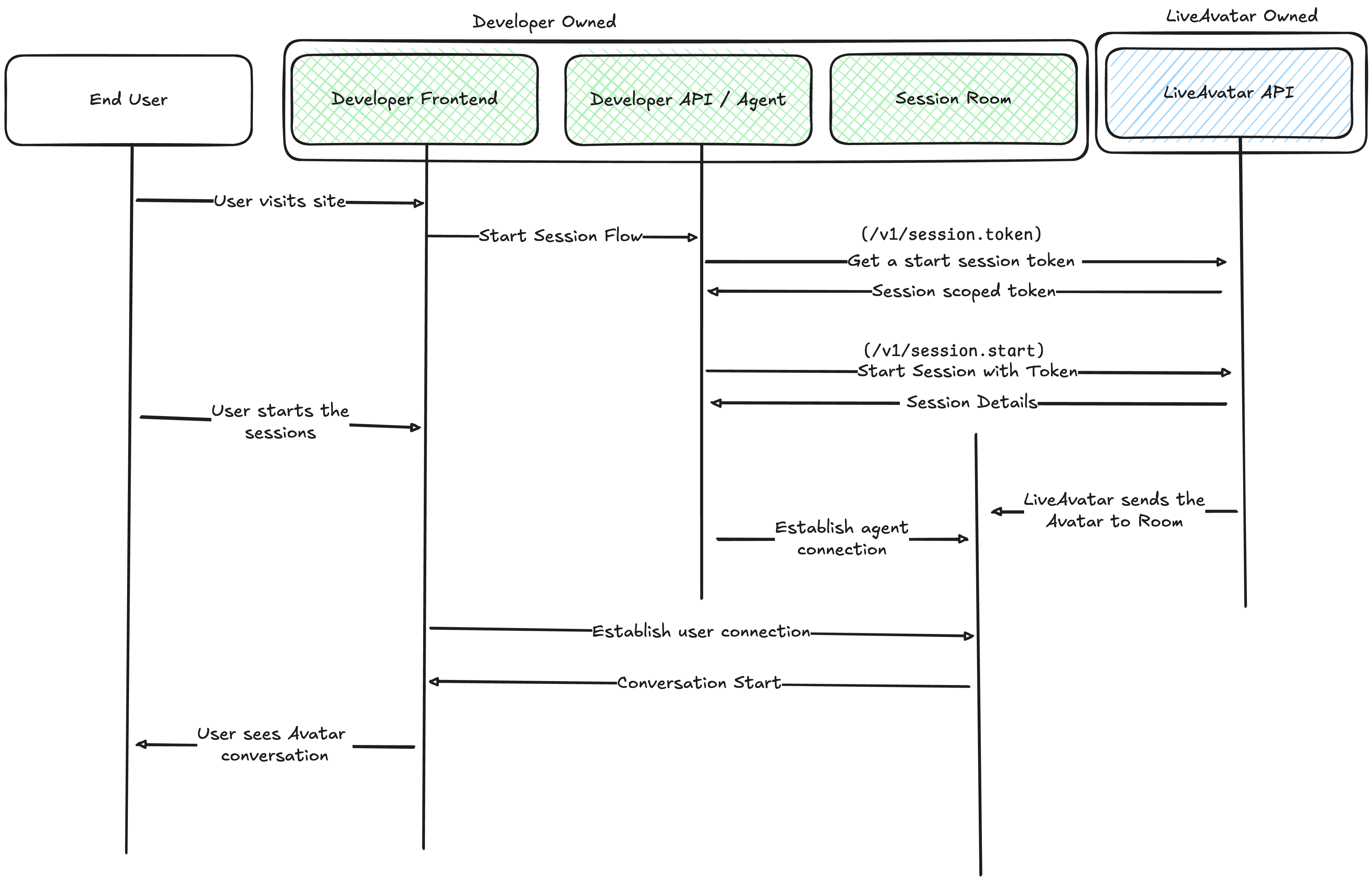
- When the user first visits the site, create a session token that can be used to call various API requests. We recommend having this be managed by your backend instance.
- Start the session. Using the session token you will be able to start/end the session.
- In our example, we recommend having your backend manage both the token generation and session start call.
- We send the relevant session information over.
- Once the session is started, we send our avatar stream into the specified WebRTC room. It's up to the developer to then:
- Connect their agent/API into this room.
- Connect the user into this room.
2. Managing the Session
In CUSTOM mode, we provide a websocket connection that will enable developers to send any avatar specific events over. This includes:
- Commanding the avatar to say something.
- Interrupting the avatar.
- Changing the avatar's pose.
Recommended Architecture
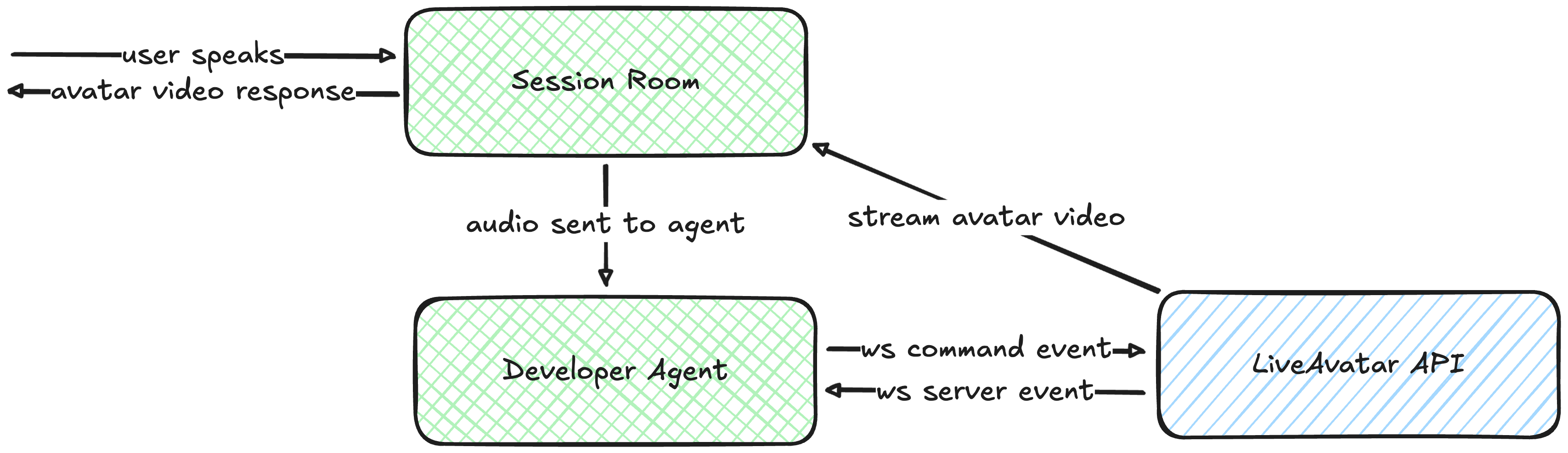
The recommended flow of data is as follows:
- User starts speaking and data is sent to the room
- Developer's agent listens into the room and processes the user input
- It then constructs the response audio that should be relayed back
- Developer's agent then streams the response to our API via the websocket
- LiveAvatar will then send to the room the avatar video frame data, which then gets displayed to the user.
Although we call it "agent" here, this can also be a simple backend service dedicated to processing audio from the room.
3. Ending the Session
When the session is closed, we will do the following.
- Our Avatar will leave the current LiveKit room.
- If we spun up a LiveKit room, we will also teardown said room.
- Close the websocket connection.
We recommend cleaning up resources that currently publish/subscribe to events from the websocket. In addition, you'll need to manage cleaning up any personal LiveKit data and managing the user's room experience.
Updated about 1 month ago